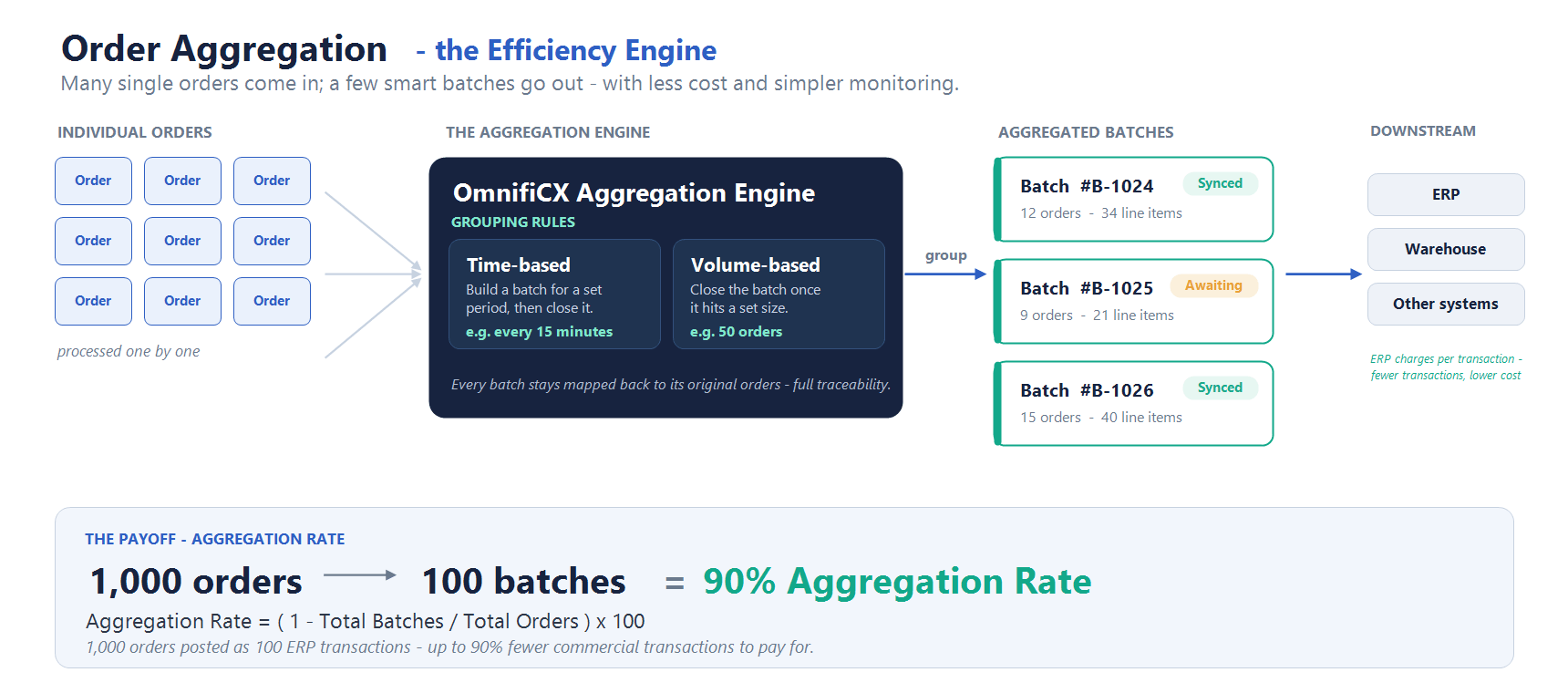
Here’s a cost most teams overlook: many ERPs — and the downstream systems that feed them — are priced or capacity-limited by the volume of commercial transactions they process. Every individual order pushed downstream is one more transaction counting against your cost or your limits, and at scale that adds up fast. Order Aggregation is the efficiency engine in OmnifiCX OMS that groups eligible orders into batches, so you post far fewer transactions downstream — lowering cost and easing load on every system in the chain, while every batch still traces back to its original orders.
Why aggregate orders?
- Lower ERP costs — the big one. When your ERP charges by (or caps) commercial transactions, collapsing many orders into one batch means you pay for a fraction of them.
- Less processing overhead. Fewer downstream transactions mean fewer repeat system calls, validations, and documents.
- Higher throughput at peak. Grouped orders flow faster and cheaper than thousands of individual ones.
- Control and traceability. Monitor a handful of batches instead of thousands of orders — and every batch maps back to its original orders.
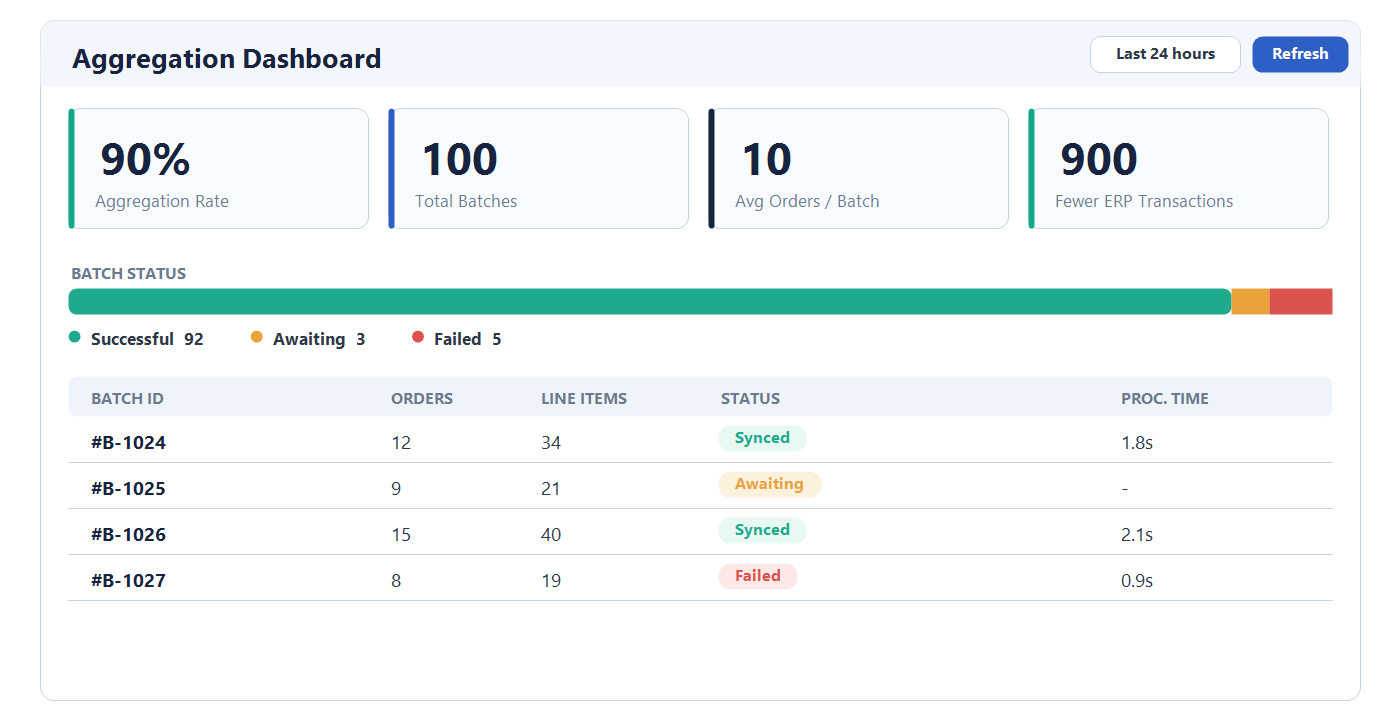
Each Aggregated Batch carries a configurable Batch ID, the list of included orders, roll-ups (total orders, line items, processing time), and a status such as success, failed, or awaiting sync.
How OMS decides what to group
Flexible rules decide which orders are eligible, when a batch closes, and how large it can get. Two patterns cover most needs:
- Time-based (windowing). Build a batch for a set period, then close it — e.g. every 15 minutes. A predictable cadence that suits steady inflow and stops orders waiting when volume is low.
- Volume-based (limits). Close the batch once it hits a set size — e.g. 50 orders. Controls payload size, ideal for high-volume channels, and keeps processing time consistent.
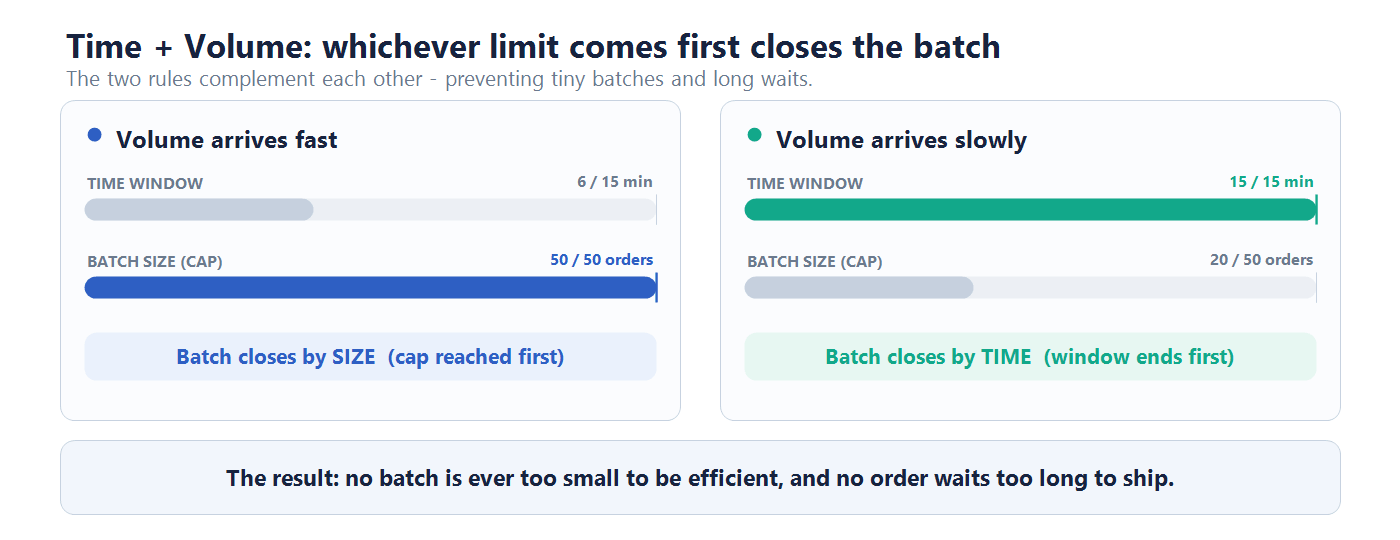
In practice they work together: fast volume closes batches by size, slow volume closes them by time — avoiding both tiny, inefficient batches and long waits.
Monitor it: the Aggregation dashboard
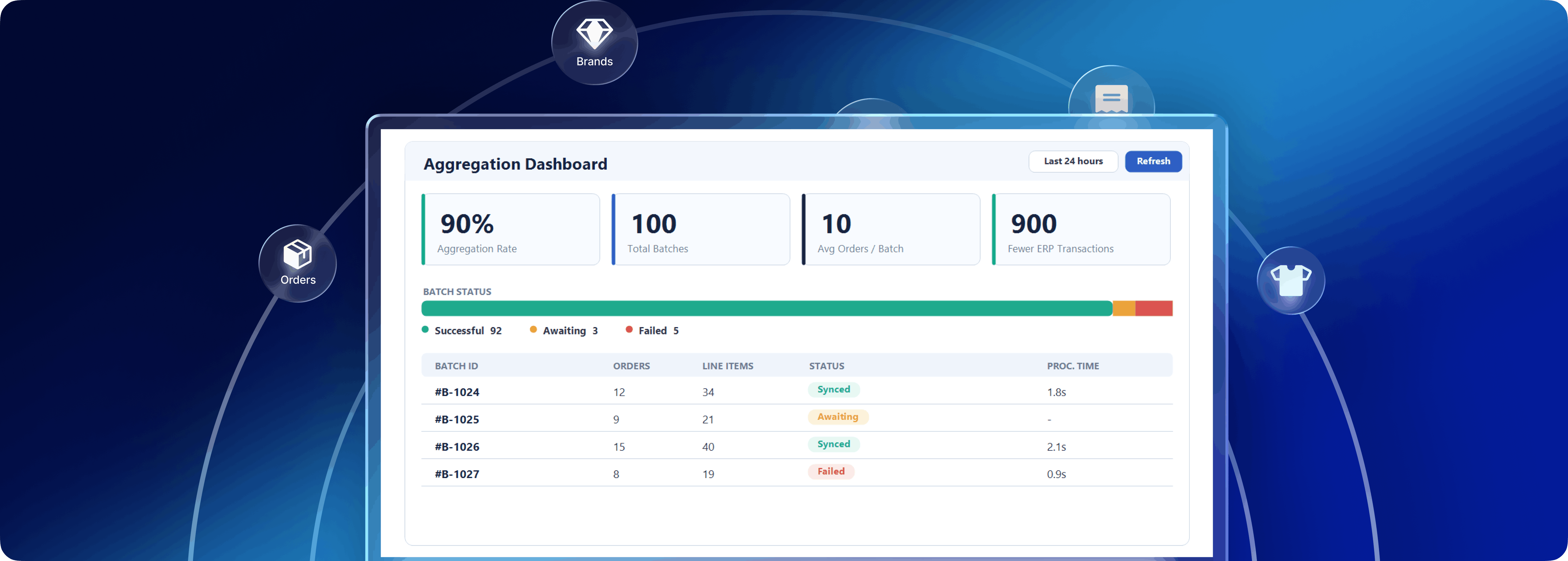
The dashboard gives an at-a-glance view of performance — batch-status summary, KPI tiles, and filters for day-to-day monitoring.
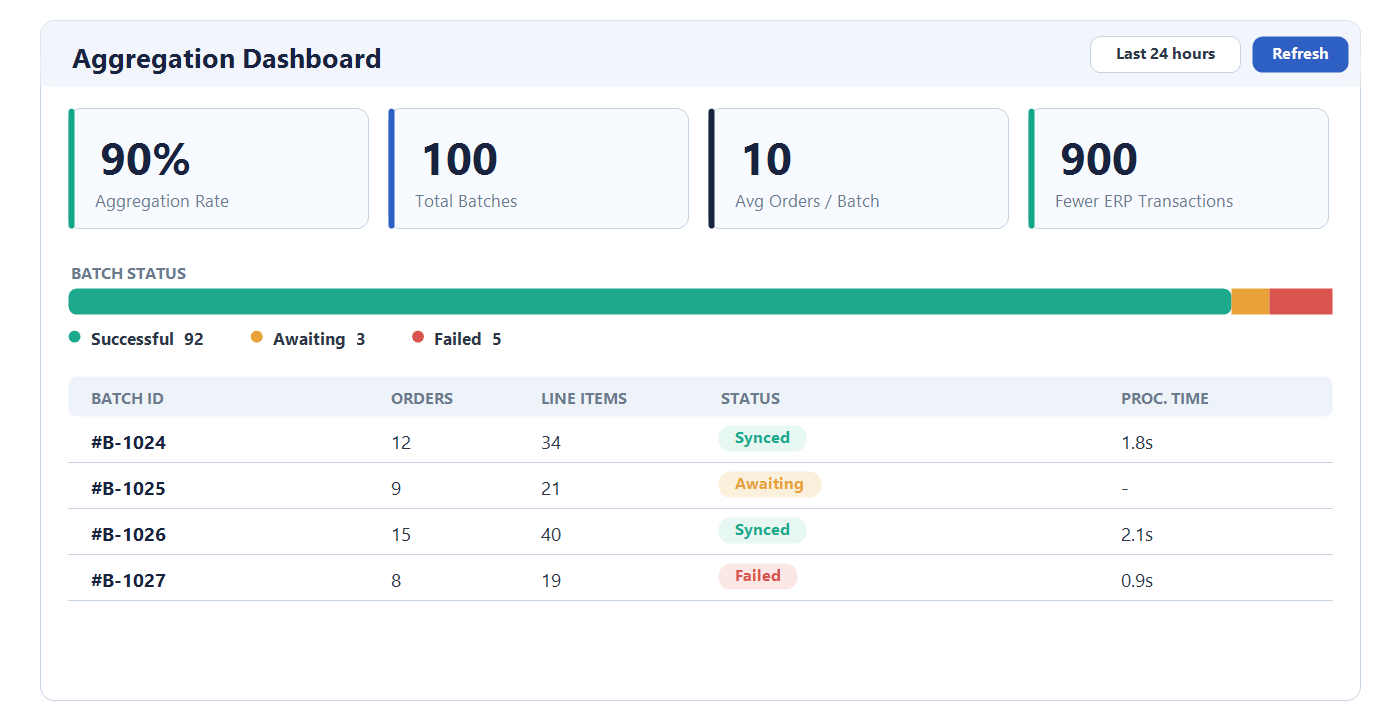
The headline metric is Aggregation Rate— how much OMS shrinks the number of transactions posted downstream. When your ERP charges by transaction, a higher rate maps almost directly to lower cost. Teams also watch Total Orders Processed, Average Processing Time, and Average Orders per Batch.
Overrides and practical guidance
Automation is the default, but authorized users can manually re-trigger sync for a batch from Batch Details — handy for a stuck downstream sync or a time-sensitive batch — without changing the underlying rules.
When designing rules:
- Start with one clear goal: cost, throughput, or payload control.
- Set a volume limit to keep batches manageable and add a time window so orders never wait during quiet periods.
- Watch Aggregation Rate and Average Orders per Batch after rollout, then tune iteratively.
In short: Order Aggregation cuts your ERP costs by posting far fewer commercial transactions — with flexible rules, clear metrics, and a controlled manual override — while preserving full traceability.