Integrations / Amazon

Sell on Amazon from the same governed record as every other channel.

OmnifiCX connects your Amazon seller account to the Governed Core. Listings, pricing, and inventory are sent to Amazon from the governed record, and Amazon orders come back to it, so Amazon works from the same numbers as your ERP, storefronts, and warehouses.

Amazon is set up once. It does not need its own point-to-point link to each of the systems behind it.
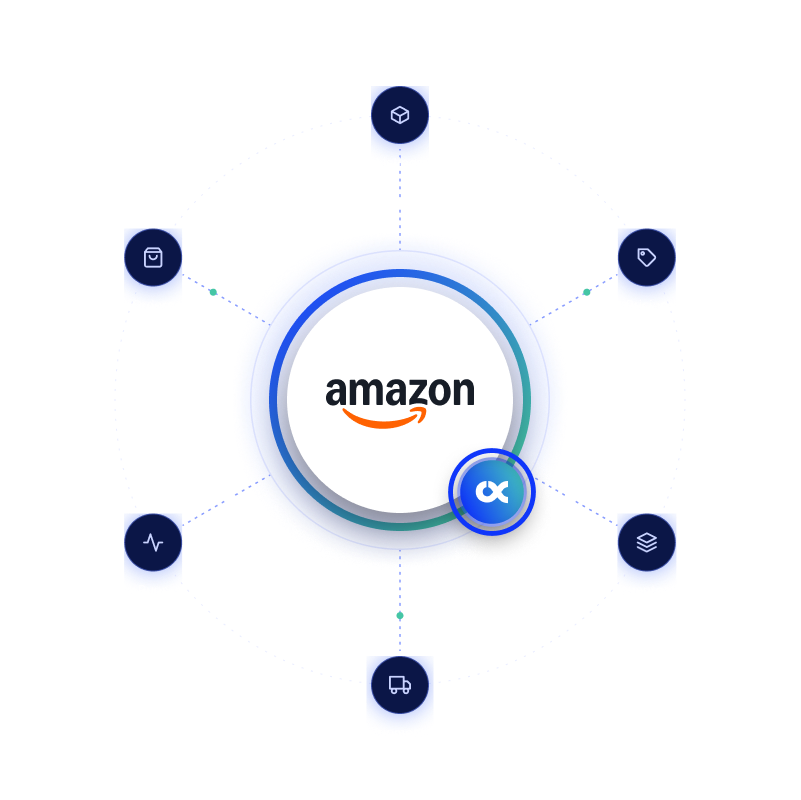
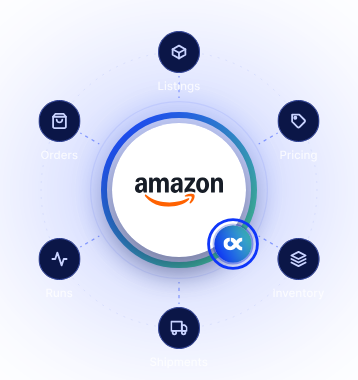
Amazon connected to Listings, Pricing, Inventory, Shipments, Runs and Orders through OmnifiCXAmazon connected to Listings, Pricing, Inventory, Shipments, Runs and Orders through OmnifiCX
Hub Architecture

Amazon connects to OmnifiCX, not to every system behind it.

Without a hub, Amazon needs one integration with the ERP, another with the warehouse, and another with every tool that touches inventory. With OmnifiCX, Amazon is set up once as an OmnifiCX Subscription against the Governed Core, and every connected system works from the same record.

a
Amazon Seller Central
Blue three-dimensional cube icon with visible top and two side faces.
Listings
Blue price tag icon with a circular hole near the top left corner.
Pricing
Blue icon depicting three stacked layers with a diamond shape cutout in the top layer, representing layers or inventory.
Inventory
Blue shopping bag icon with a handle represented by a semi-circular shape in the center.
Orders
Blue icon of a delivery truck facing right with two wheels and a cargo area.
Shipments
Two thick blue arrows pointing in opposite directions, one to the right above and one to the left below, symbolizing bidirectional exchange or synchronization.
Vertical light blue bar.
Two thick blue arrows, one pointing right above and one pointing left below, representing synchronization or data exchange.
Vertical light blue bar.
White cylindrical database icon with two horizontal sections.
OmnifiCX Governed Core

One governed record per product, order, and customer. Amazon reads from it and writes back to it, the same way every other connected system does.

Product
Order
Customer
Two thick blue arrows pointing in opposite directions, one to the right above and one to the left below, symbolizing bidirectional exchange or synchronization.
Vertical light blue bar.
Two thick blue arrows, one pointing right above and one pointing left below, representing synchronization or data exchange.
Vertical light blue bar.
Icon of two horizontal server units stacked, each with a circular indicator on the left side.
The systems you already run
Icon of two blue horizontal server units stacked with circular indicators on the left side of each unit.
ERP
Blue shopping cart icon with two wheels.
Storefronts
Blue simplified icon of a storefront with a wide roof, large window, and centered door.
Other marketplaces
Simple blue icon of a computer monitor with a rectangular screen and a rounded base.
POS
Blue icon of a house-shaped outline with two horizontal lines inside, resembling a simplified warehouse or storage symbol.
WMS & 3PL
What Stays in Sync

Amazon and the rest of your operation work from the same numbers.

OmnifiCX
Bold blue right-pointing arrow with rounded edges.
a
Amazon
What Amazon shows buyers comes from the governed record.
Simplified vector illustration featuring two parallel horizontal rail tracks connected to an Amazon package conveyor belt represented by a moving platform with boxes, symbolizing synchronization between rail transport and Amazon logistics.Gray right-pointing chevron arrow.
Three-dimensional cube icon with dark gray edges and white faces, presented in an isometric view.

Listings and catalog

Products are governed once and sent to Amazon from the governed record. A change made upstream reaches the listing without being re-keyed in Seller Central.

Icon of a price tag with a circular hole near the top left corner.

Pricing

Amazon prices come from the governed pricing record, so the price on Amazon follows the same rules as every other channel.

Three stacked rhombus shapes representing layered or stacked objects in dark gray.

Inventory

Available quantities come from the same governed inventory every other channel sells from, so a unit sold in one place is not still for sale in another.

Simplified icon of a delivery truck facing right with two circular wheels.

Shipments and tracking

When a merchant-fulfilled order ships from your warehouse or 3PL, the shipment and tracking details are sent back to Amazon.


a
Amazon
Bold green right-pointing arrow with rounded ends.
OmnifiCX
What Amazon sells comes back to it.
Gray right-pointing chevron arrow.
Icon of a shopping bag with handles, outlined in dark gray.

Orders

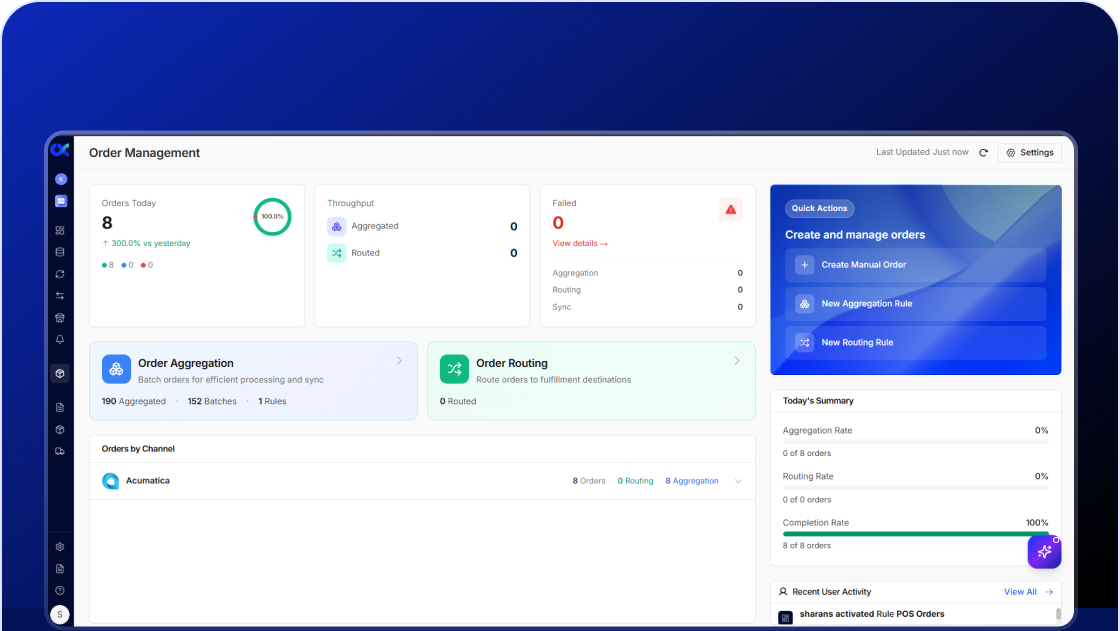
Merchant-fulfilled and Fulfilled by Amazon orders arrive in the governed order record with their source and status, visible in Order Management alongside every other channel.

OmnifiCX
Two thick arrows, one pointing right above and one pointing left below, indicating bidirectional sync or transfer.
a
Amazon
Every sync
A dark gray zigzag line resembling a heartbeat or pulse waveform symbol.

Every run on record

Each sync is recorded as a Run, with what it processed and the outcome of every step, so a listing or order that did not come through can be traced and reprocessed.

FBM and FBA

Two fulfillment models, one governed record.

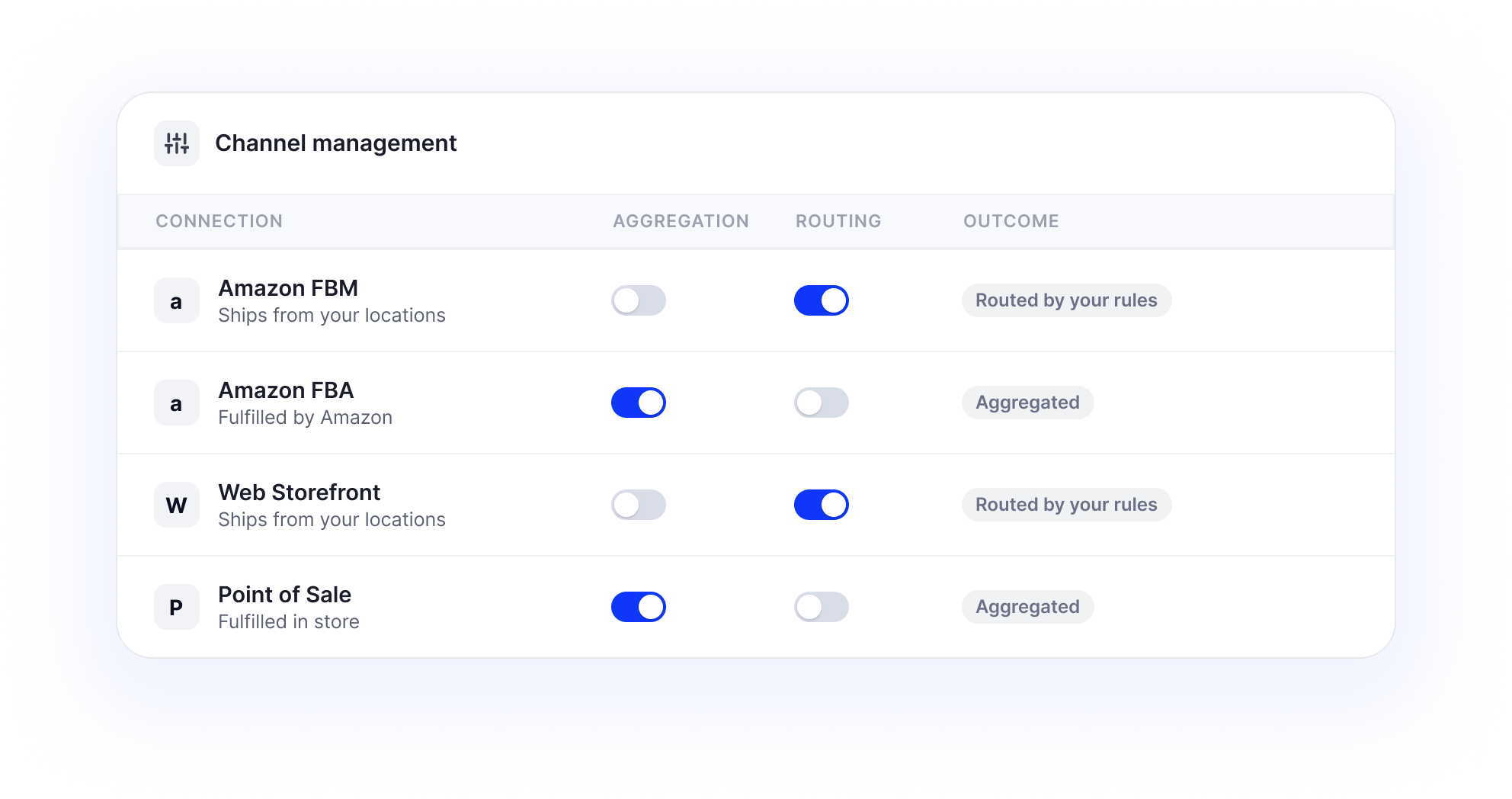
Many sellers run both. Order Management handles each one the way it needs to be handled, and the behavior is set per connection rather than in code.

Icon of a gray house-shaped structure with two horizontal rounded bars inside, resembling a simplified storage or archive symbol.
Fulfilled by Merchant

Routed to the right warehouse.

Orders you fulfill yourself are routed to the right warehouse or 3PL using your rules for stock, capacity, operating hours, and serviceable regions. Once the order ships, the shipment details go back to Amazon.

Routing rules
Bold dark gray check mark symbol.
Stock
Bold dark gray check mark symbol.
Capacity
Bold dark gray check mark symbol.
Operating hours
Bold dark gray check mark symbol.
Serviceable regions
Stylized dark gray path with two large circles connected by a curved line forming an S shape.
Warehouse or 3PL
Gray arrow pointing to the right on a white square background.
Simple dark gray delivery truck icon with two wheels and cargo area.
Shipment back to Amazon
Three stacked horizontal diamond shapes in dark gray, decreasing in size from bottom to top, representing layers or a layered structure.
Fulfilled by Amazon

Aggregated before they reach the ERP.

Orders Amazon has already fulfilled still need to reach the ERP for revenue, inventory, and reporting. Order Management groups them into batches, so the ERP receives a fraction of the transactions, with every original order still traceable.

FBA orders grouped into a batch before reaching the ERP, with every original order still traceable

Behavior is set per connection.

Turn routing and aggregation on or off for each Amazon connection. When both are on, eligible orders are aggregated first and skip routing; every other order is routed by your rules.

See how Order Management works
Bold blue right-pointing arrow icon with rounded edges.
Channel management table showing aggregation and routing toggles per connection
An Amazon Order, End to End

From Amazon to the ERP, without anyone re-keying it.

A merchant-fulfilled Amazon order follows the same governed path as an order from any other channel. Your team sees it in one place, and the systems behind it receive it without manual entry.

Blue checkmark icon inside a light blue circle.

The order carries its Amazon source, routing, and sync status on one record

Blue checkmark icon inside a light blue circle.

Exceptions surface in one queue, with retry and manual resolution

Blue checkmark icon inside a light blue circle.

Inventory changes reach every channel, not only Amazon

a
A merchant-fulfilled order
Fulfilled by Merchant
Minimalist icon of a shopping bag with a handle, depicted with thick dark lines.
Simple horizontal journey timeline with five labeled circular points connected by a line, each labeled: Start, Explore, Plan, Build, and Launch.
Step 01
Order placed on Amazon
Simplified icon of a cylindrical database storage symbol with three horizontal sections.
Simple horizontal journey timeline with five labeled circular points connected by a line, each labeled: Start, Explore, Plan, Build, and Launch.
Step 02
Received into the governed order record
Abstract journey icon with two large circular endpoints connected by a thick, curved line forming an S shape.
Simple horizontal journey timeline with five labeled circular points connected by a line, each labeled: Start, Explore, Plan, Build, and Launch.
Step 03
Routed to the right warehouse or 3PL
Icon of two horizontal server units stacked with a small circular indicator on the left of each unit.
Simple horizontal journey timeline with five labeled circular points connected by a line, each labeled: Start, Explore, Plan, Build, and Launch.
Step 04
Sent on to the ERP and the fulfilling location
Simple dark gray delivery truck icon with a large rectangular cargo area and two wheels.
Step 05
Shipment and tracking sent back to Amazon
Icon of three stacked diamond-shaped layers in dark gray, representing layered structure or stacking.
Step 06
Updated availability sent to every channel
Set Up Once

Configuration, not code.

Your Amazon connection is configured in OmnifiCX, not built and maintained as custom code your team has to own.

As little as
7 days
Production-ready
Simplified light blue key icon with a round handle and three teeth.
Step 01
Authorize your seller account

Grant OmnifiCX access from Amazon Seller Central. OmnifiCX connects through Amazon's Selling Partner API.

Two light blue chain links intertwined, forming a simple linked chain icon.
Step 02
Map catalog and locations

Match Amazon listings to governed products, and choose which locations fulfill merchant-fulfilled orders.

Blue outline of a laboratory flask icon.
Step 03
Test before go-live

Run the connection outside production and review each Run before switching it on.

White rocket icon with rounded edges.
Step 04
Go live

Production-ready in as little as 7 days, with Runs and alerts watching every sync from day one.

Live
Security and Data Protection

Seller data, handled with the same controls as the rest of the platform.

Your Amazon data sits inside your own isolated OmnifiCX account, under the roles and permissions you define.

Read more about Security & Reliability  →
Simple gray key icon with a circular handle and three teeth on the shaft.
Seller-authorized access

OmnifiCX acts on your Amazon account only with the access you grant, and you can revoke that access from Seller Central at any time.

Simple black padlock icon with a rounded rectangular body and a U-shaped shackle.
Encrypted in transit and at rest

Data travels between Amazon and OmnifiCX over secure channels, and is encrypted at rest on AWS.

Icon of an eye with a diagonal slash through it, representing 'hide' or 'visibility off'.
Credentials protected

Connection credentials are stored encrypted and are never shown in full once they are saved.

Gauge meter icon with a semicircular arc and a needle pointing to the upper right, indicating a mid-to-high level reading.
Paced to Amazon's limits

OmnifiCX sends Amazon only what it can accept, and slows down when a limit is reached, so a busy day does not stall the connection.

OmnifiCX is SOC 2 and GDPR compliant.
Abstract graphic with symmetrical arc-shaped lines intersecting at three central blue circles, using shades of blue and gray.

Ready to run one governed operation?

See how your Amazon business would run alongside your ERP, storefronts, and warehouses on OmnifiCX.