
Every order on one governed record, from first touch to fulfillment.
Order Management is one of the first applications built on the Governed Core. It gives operations, support, and sales teams one workspace to create, edit, aggregate, route, and monitor orders across every storefront, marketplace, ERP, WMS, and 3PL.
Coordinates the systems you already run
Storefronts
Marketplaces
ERP
WMS
3PL
Built on the Governed Core
An application on the foundation, not another silo.
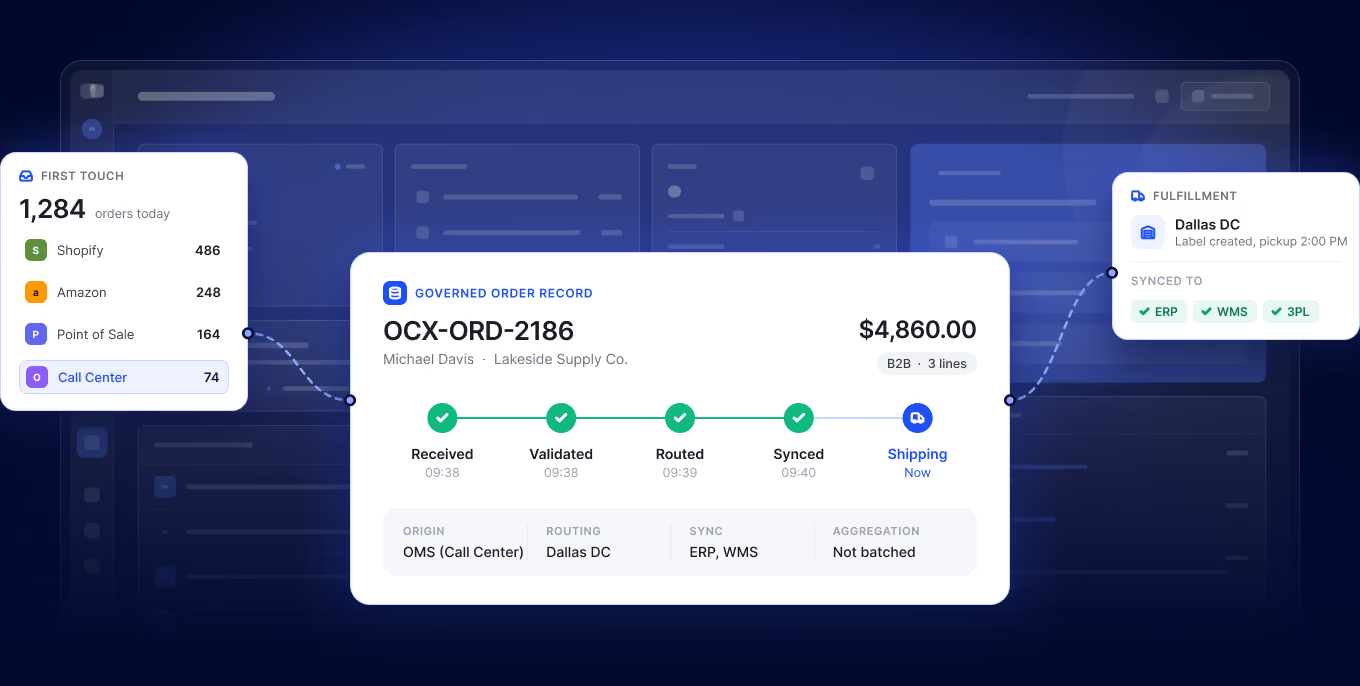
Order Management does not keep its own copy of an order. What a call center agent saves, what a marketplace sends, and what the ERP receives all describe one governed record.
Every order carries its origin, sync, routing, and aggregation status on the same record
Failures and incomplete data surface in one place, with retry and manual resolution
The order lifecycle
One governed record
1
STEP 01
Created or received from any source
2
STEP 02
Normalized into the governed order record
3
STEP 03
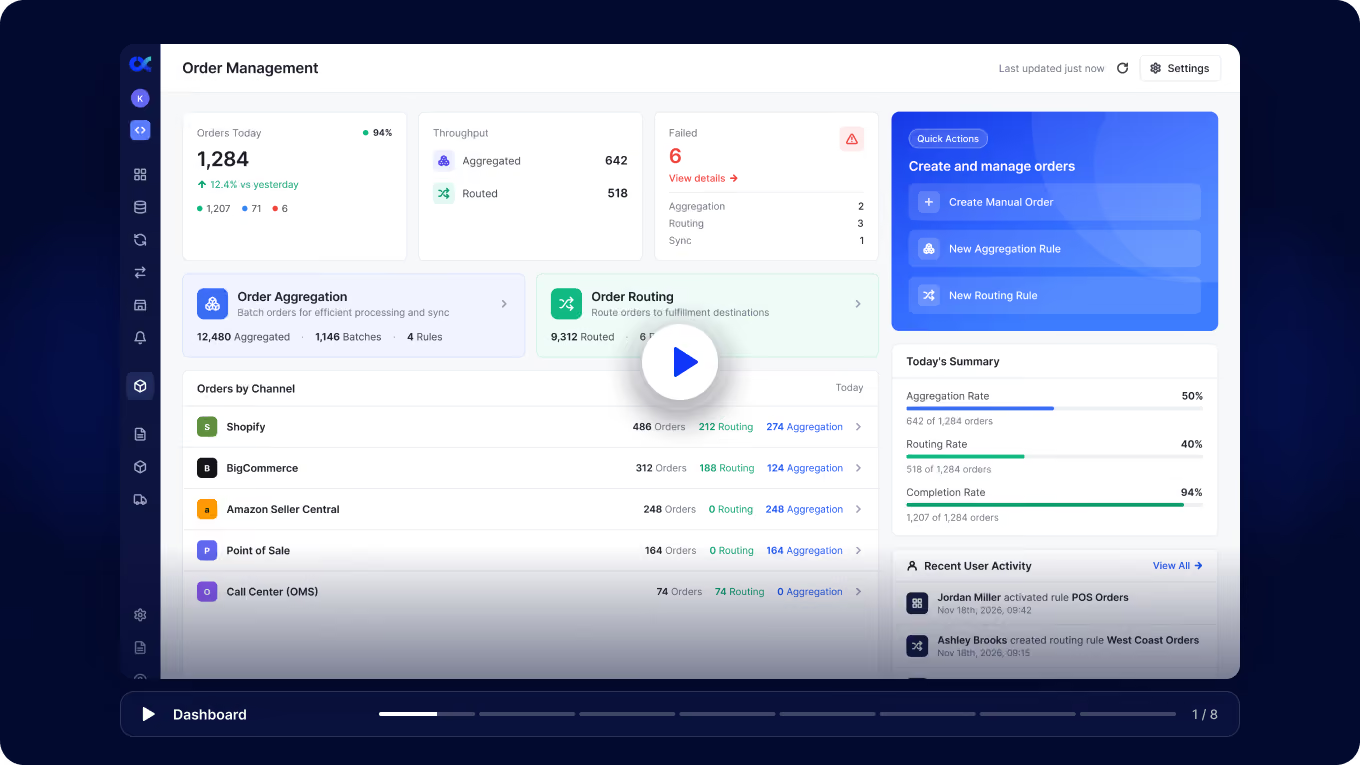
Visible in the Dashboard and Orders list
4
STEP 04
Aggregated, routed, or both
5
STEP 05
Sent on to the ERP, WMS, or 3PL
6
STEP 06
Exceptions surfaced for retry or manual action
What is inside
One workspace for the whole order lifecycle.
Where is this order, which systems has it touched, what went wrong, and what should happen next? Order Management answers the questions operations teams ask all day.
Four ways teams put it to work
01
Take orders by phone
Phone, email, and wholesale orders, as accurate as a web order.
02
Edit orders safely
Change items, addresses, and dates within shipment-status guardrails.
03
Batch orders for the ERP
Send one batch instead of thousands of already-fulfilled orders.
04
Route to the right warehouse
Assign locations by rules, capacity, hours, regions, and stock.
Dashboard
Orders and order details
New and edited orders
Companies and customers
Aggregation
Routing
Exception queues
Settings per connection
USE CASE 01 · CALL CENTER
Call center teams take orders by phone, directly in OmnifiCX.
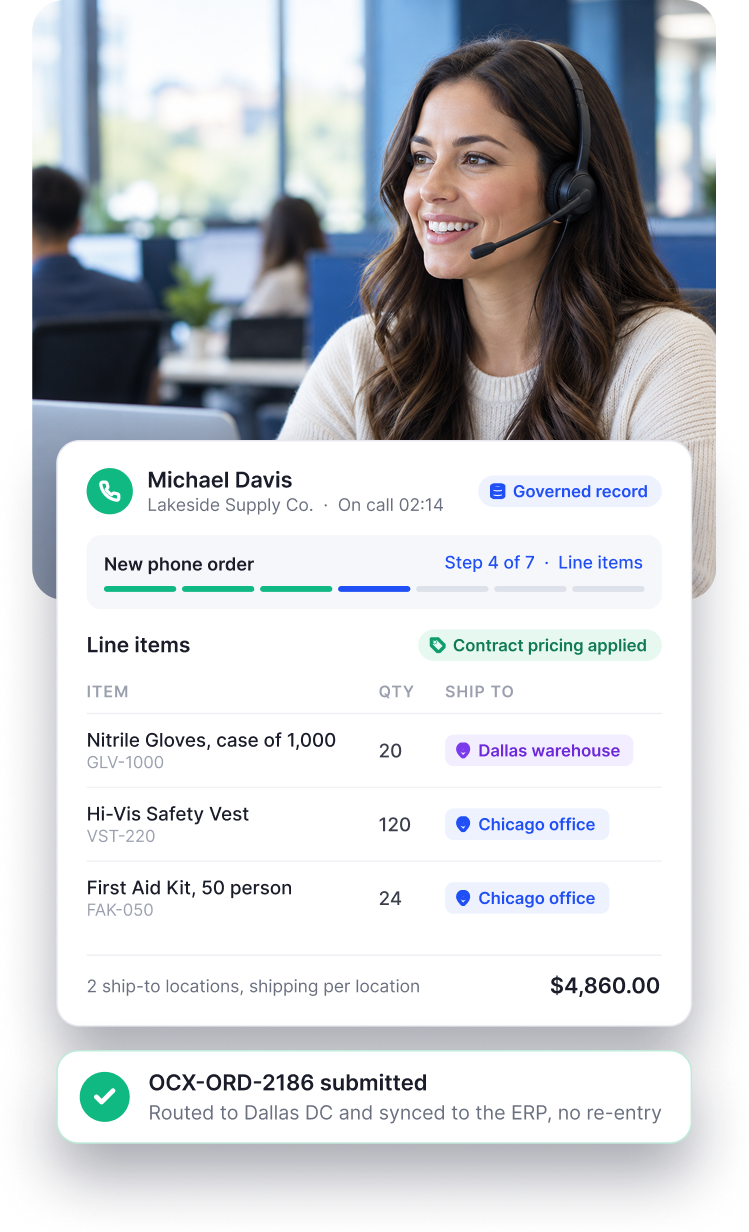
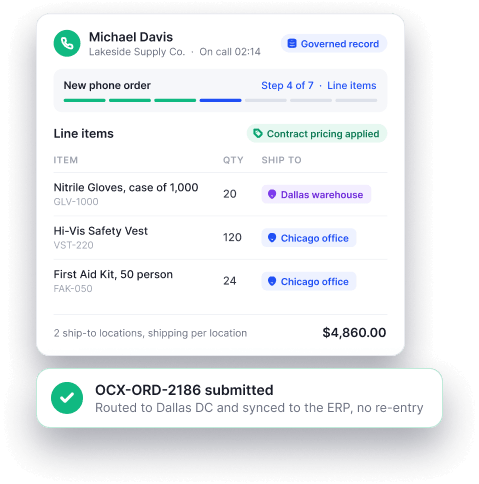
Not every customer orders online. Phone, email, and wholesale orders go through the same governed pipeline as a storefront order, in a guided seven-step workflow, so an assisted order is as clean as a web one.
Governed records
Customer, company, and product data come from governed records, so nothing is retyped and the customer's contract pricing applies.
Multi-location B2B
B2B orders can ship different lines to different company locations.
The result: an assisted order flows on to aggregation, routing, and the ERP without being entered twice.
Use case 02 · Support
Support staff change orders without breaking fulfillment or finance.
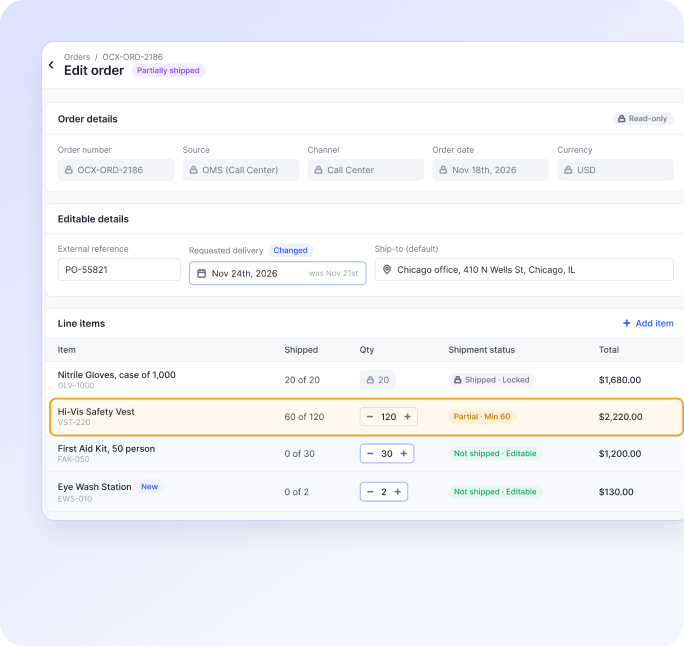
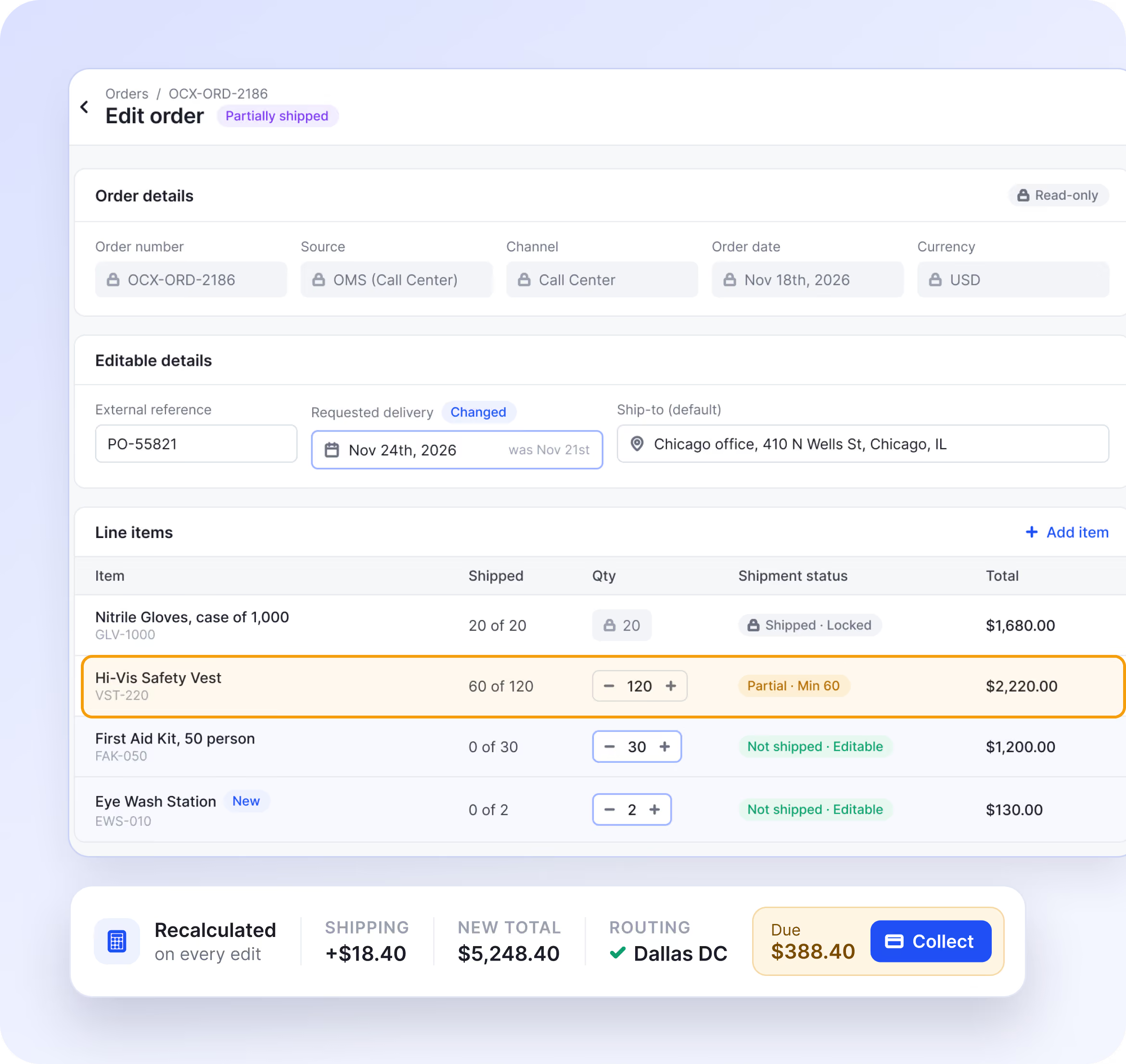
Delivery dates move, addresses need correcting, items are added or removed. Support makes the change directly, within guardrails set by shipment status.
Not shipped
Editable
Partially shipped
Only the remaining quantity can change
Shown
Fully shipped
Locked
Order number, source, channel, date, and currency stay read-only
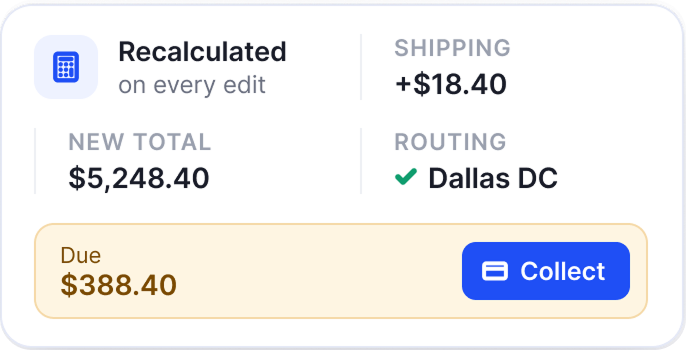
Edits recalculate shipping, totals, and routing, and prompt for extra payment or calculate the refund
The result: changes are resolved in one place, without a ticket to engineering, and without risking an item that is already on a truck.
Use case 03 · Aggregation
Aggregation keeps high-volume order traffic off your ERP.
Orders already fulfilled at a point of sale, or by a marketplace program such as Amazon FBA, still have to reach the ERP for revenue, inventory, and reporting. Order Management groups them into batches first: carpooling for data, with a clear record of who was in each car.
Fulfilled orders arrive from
Point of Sale
Amazon FBA
Marketplaces
Storefronts
Order Aggregation
Rules group compatible orders by source, time window, volume, and condition into a batch with its own ID and a full list of the orders inside it.
Source
Time window
Volume
Condition
Batch ID
Full list of orders inside
Downstream ERP receives
One batch
Instead of one transaction per order, with every original order still traceable.
Without aggregation
1,000
orders become 1,000 downstream transactions (example)
Records reaching the ERP
One API call, validation, and document per order
Thousands of individual units for operations to monitor
With OmnifiCX aggregation
100
batches carry the same 1,000 orders (example)
Records reaching the ERP
A fraction of the calls, validations, and documents reaching the ERP
Where ERP licensing is tied to transaction volume, fewer inbound records can reduce licensing exposure
Drill down from any batch to every order inside it
Batches close by size when orders arrive quickly and by time when they arrive slowly, so orders do not wait longer than the window you set.
Use case 04 · Routing
Routing picks the right warehouse for every order.
With more than one warehouse, 3PL, or fulfillment location, Order Routing decides where each order ships from, using your rules and each location's real constraints instead of manual assignment.
Rules and priority
Daily capacity
Operating hours and holidays
Serviceable regions
Stock availability
Special handling
Preferred locations
Whole-order, line, or quantity splits
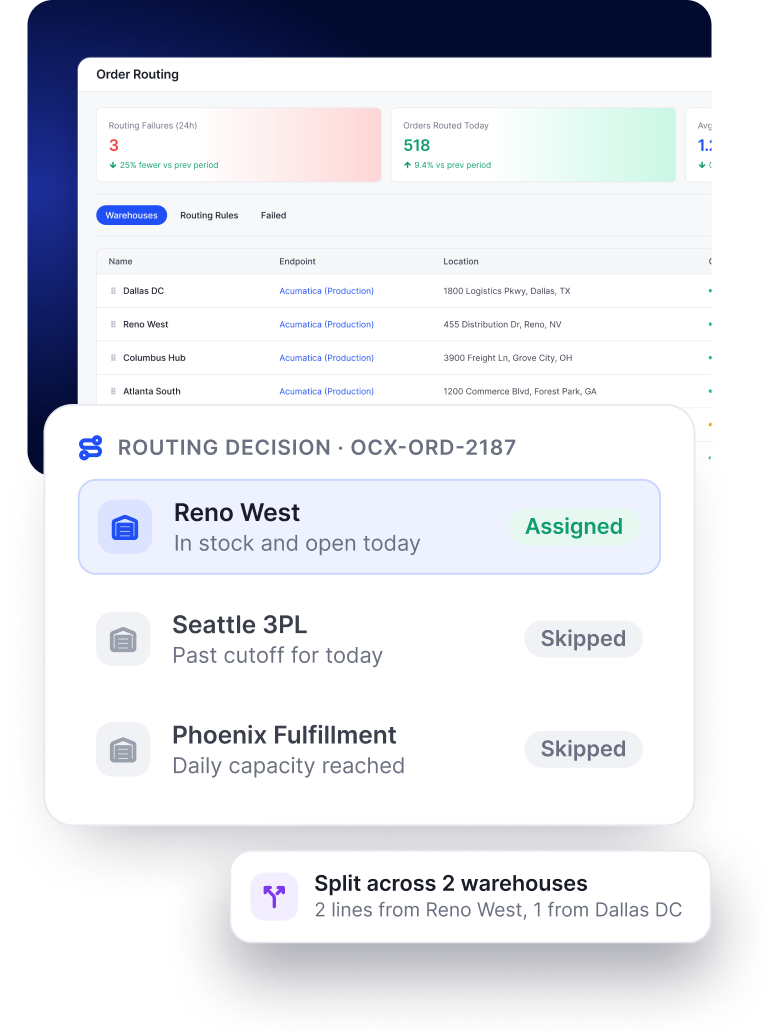
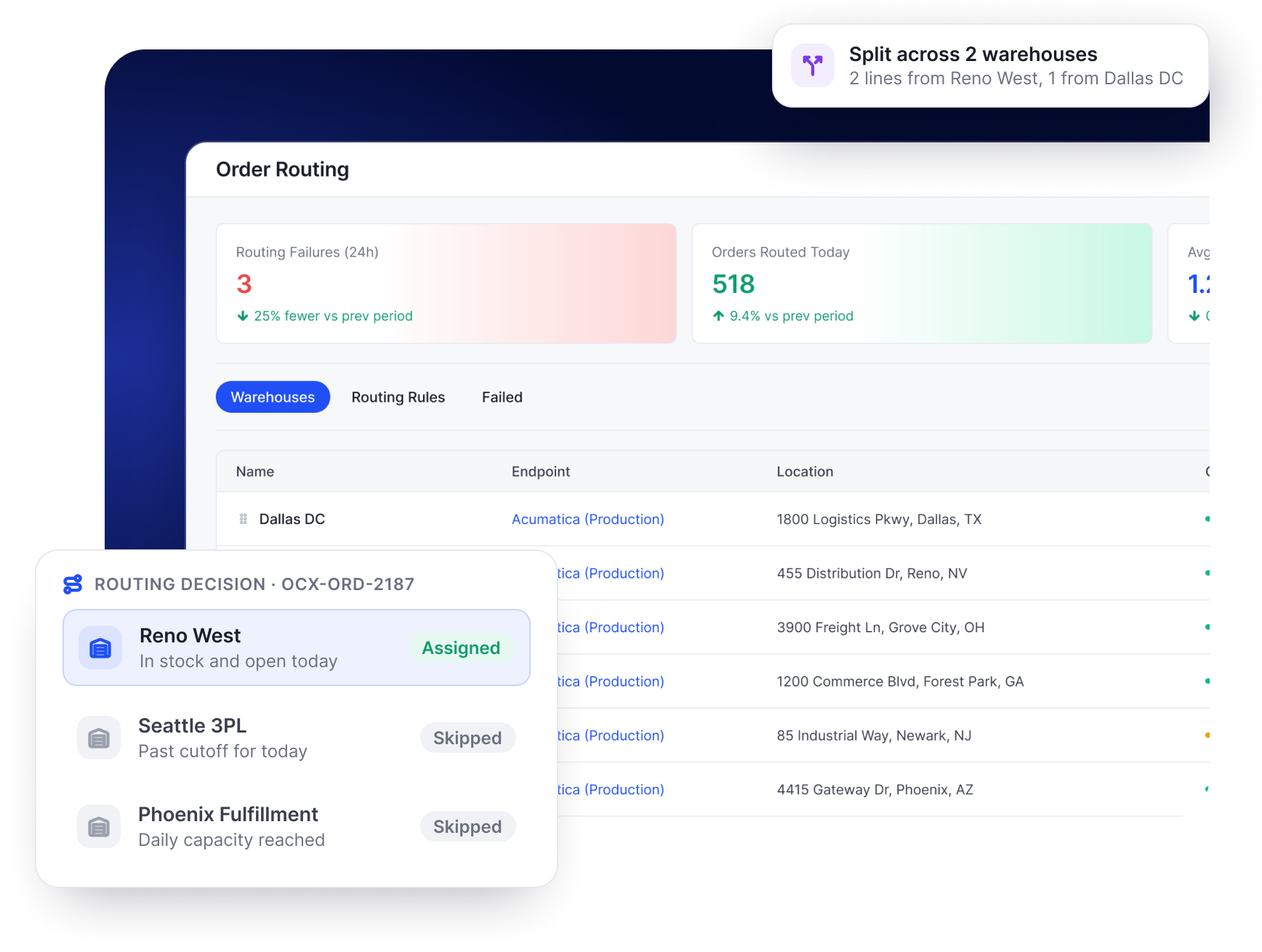
Decisions you can see, and exceptions you can resolve.
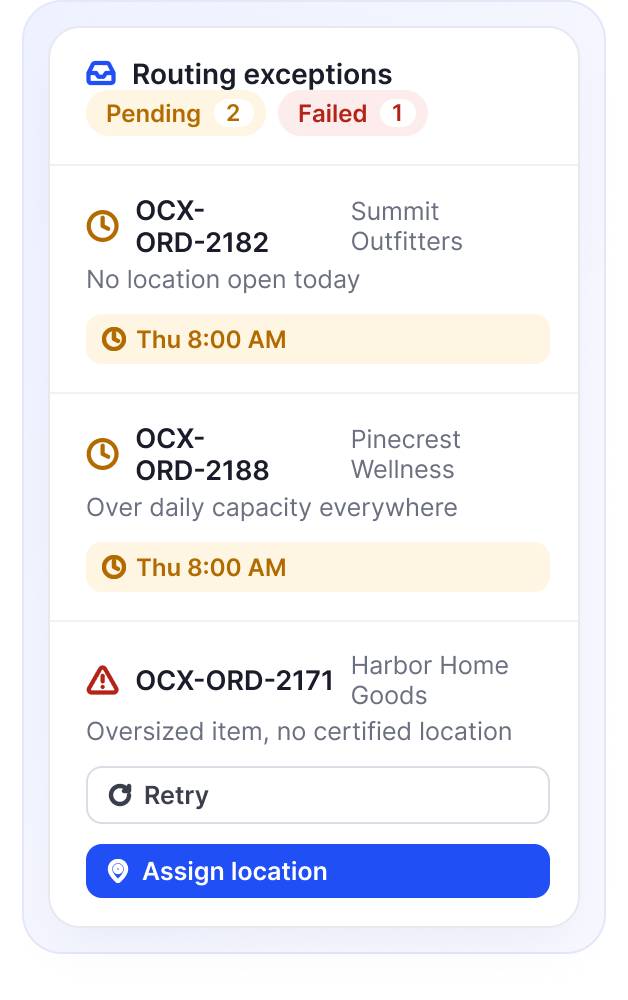
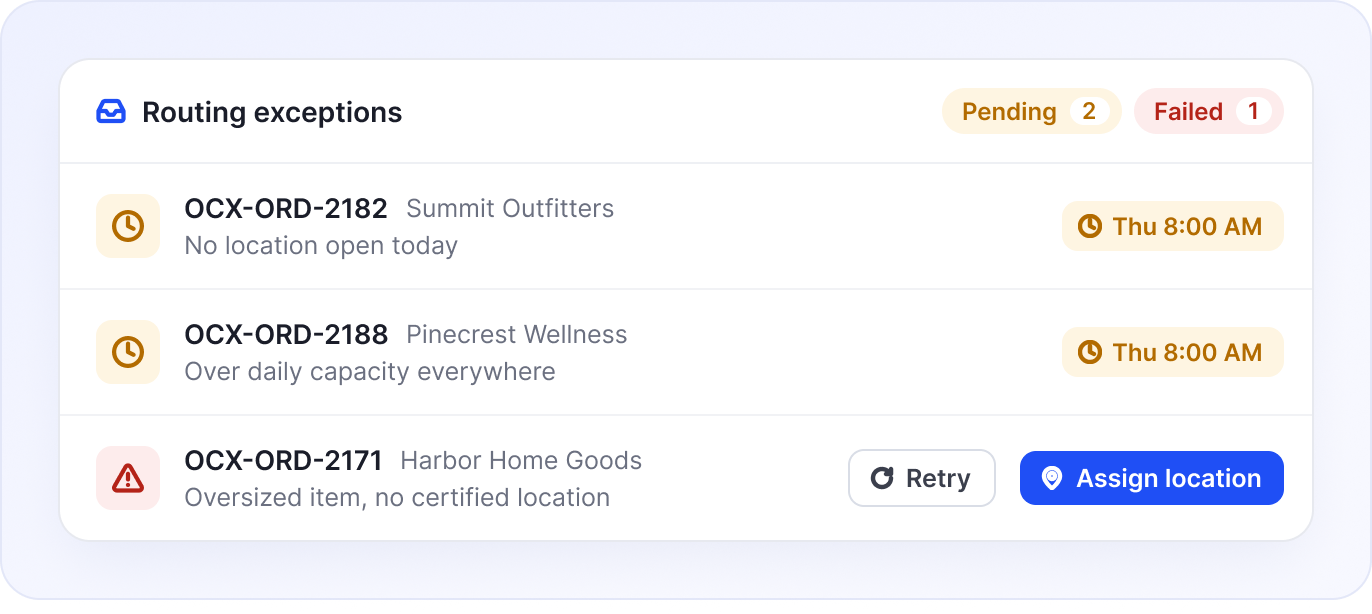
Every order shows where it was assigned and why. When no location can take an order today, routing looks to the next operating day instead of failing it.
Orders that cannot be routed yet wait in a pending queue, and failures land in a failed queue
Operators can retry, or assign a location manually
Settings
Behavior is set by configuration, not by engineering tickets.
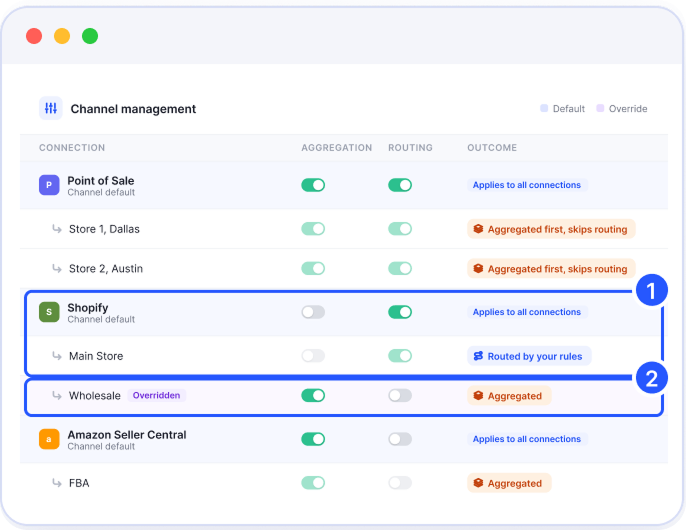
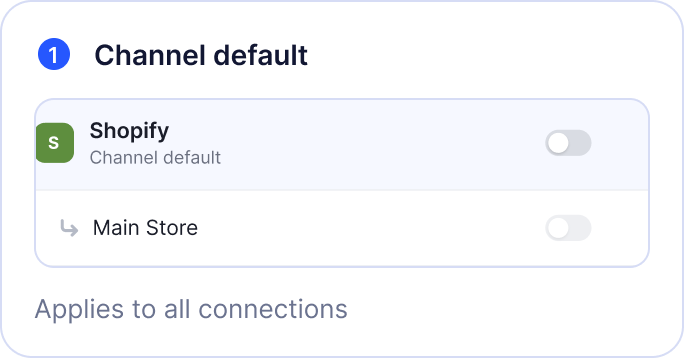
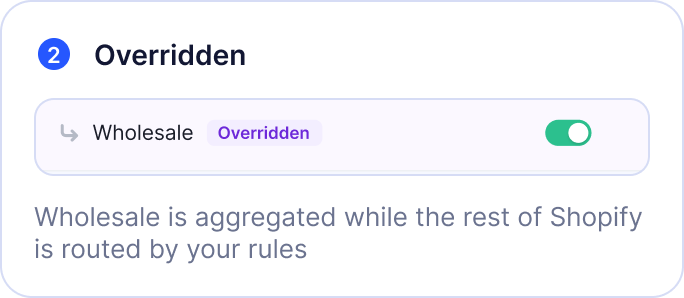
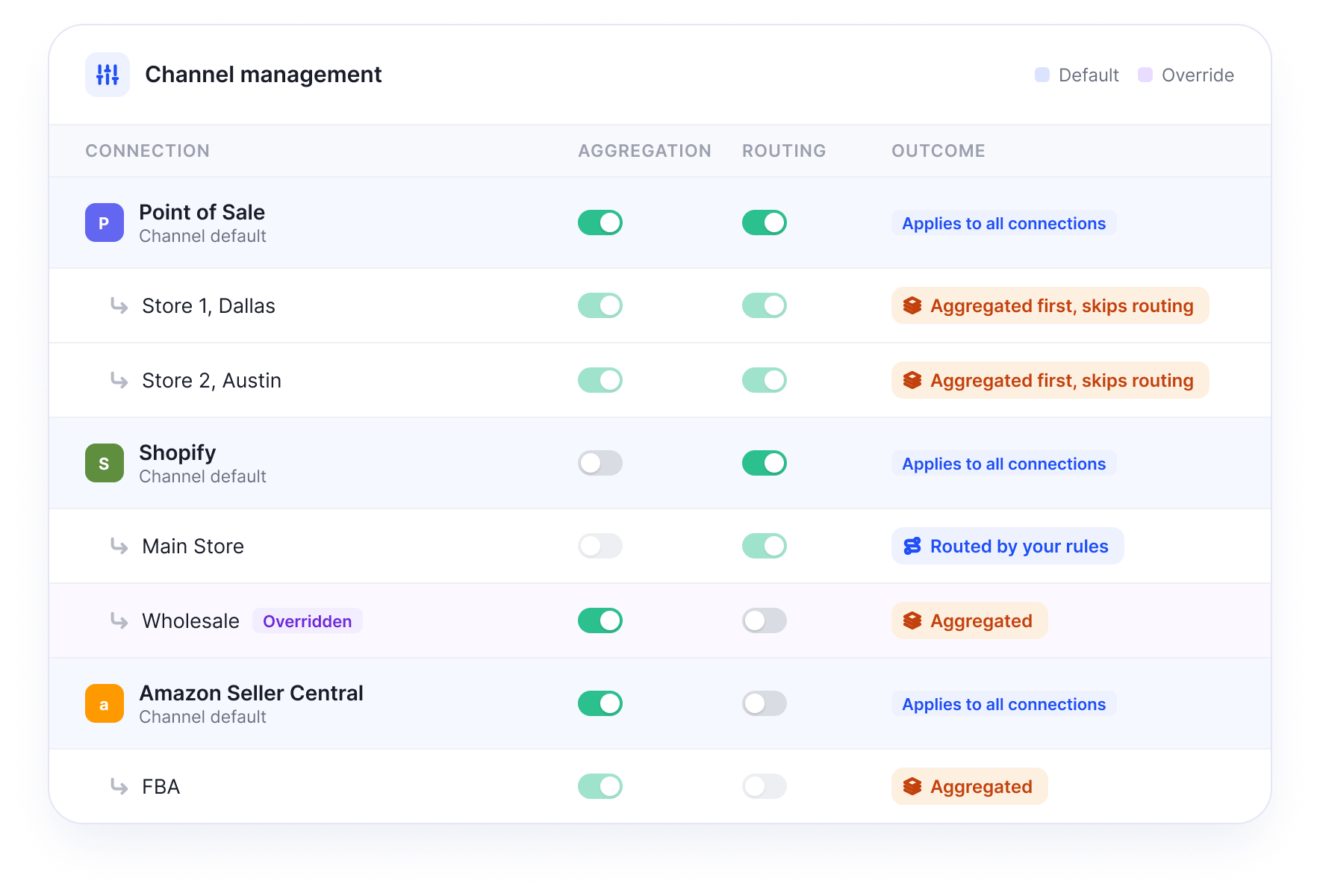
Turn aggregation and routing on or off per connection, with channel-level defaults.
When a connection has both on, eligible orders are aggregated first and skip routing; all other orders are routed by your rules.
Where it fits
Built to coordinate your systems, not replace them.
Order Management is the operational workspace on the governed record. It works alongside the ERP, warehouse, 3PL, and fulfillment tools you already run.
Handled by your specialized systems
Full warehouse management: bins, picking, packing, labor
Transportation management and route optimization
Complete returns and RMA lifecycle
Inventory optimization beyond visibility and routing signals
How this connects
Order Management is the foundation at work
It shows what an operating system means in practice: one governed record underneath, and applications that run on it without keeping state of their own.
Governed Core
Canonical
Products
Customers
Orders
Inventory
Pricing
Payments
Governed Core
The Record Every Order Runs On
See how orders, customers, companies, and warehouses are modeled once and shared by every connected system.
CX
Integrations
Connect Once, Connect All
Your storefronts, marketplaces, ERP, WMS, and 3PL connect to OmnifiCX, and Order Management coordinates the flow between them.
Ready to run one governed operation?
See how Order Management would run with your channels, warehouses, and order flows.